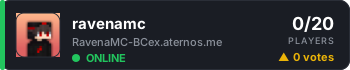
ravenamc Minecraft Серверы
Отзывы игроков (0)
✍️ Написать отзыв
Отзывов пока нет. Будьте первым!
Частые вопросы о сервере
How do I join ravenamc?
To join with Minecraft Java: 1) Copy the IP from this page: RavenaMC-BCex.aternos.me. 2) Open Minecraft. 3) Click "Multiplayer" > "Add Server". 4) Paste the IP and click "Done". 5) Select ravenamc from the list and join.
What is the server IP for ravenamc?
The IP address for ravenamc is: RavenaMC-BCex.aternos.me
Is ravenamc free to play?
Yes! ravenamc is completely free. All you need is a legitimate copy of Minecraft. Some servers offer optional donations or cosmetics, but the core gameplay is always free.
How many people are playing ravenamc?
Right now 0 players are online out of 20 slots. Player counts fluctuate throughout the day, with peak times usually in the evenings and weekends.
What version is ravenamc?
ravenamc runs on Minecraft version 1.21. Make sure your client is on a compatible version before connecting.
What type of server is ravenamc?
ravenamc is a Survival server. Gather resources, craft items, build structures and become part of the community.
Where is ravenamc hosted?
ravenamc is hosted in Türkiye. Players closer to this location usually get lower ping and a better connection.
How does voting work for ravenamc?
Click the green "Vote" button; you can vote once per day. Voting helps the server climb the rankings, and many servers reward voters with in-game perks.
Похожие серверы


📋 Бейдж / Код для вставки
Добавьте этот бейдж на сайт, в подпись на форуме или в Discord — он показывает онлайн игроков и приносит обратные ссылки + голоса вашему серверу.